
AI Animation Workflow: 11 Steps to Consistent Characters
Most AI animation workflows stop at a generic prompt — and it shows. Eleven steps that keep one character consistent across every scene.
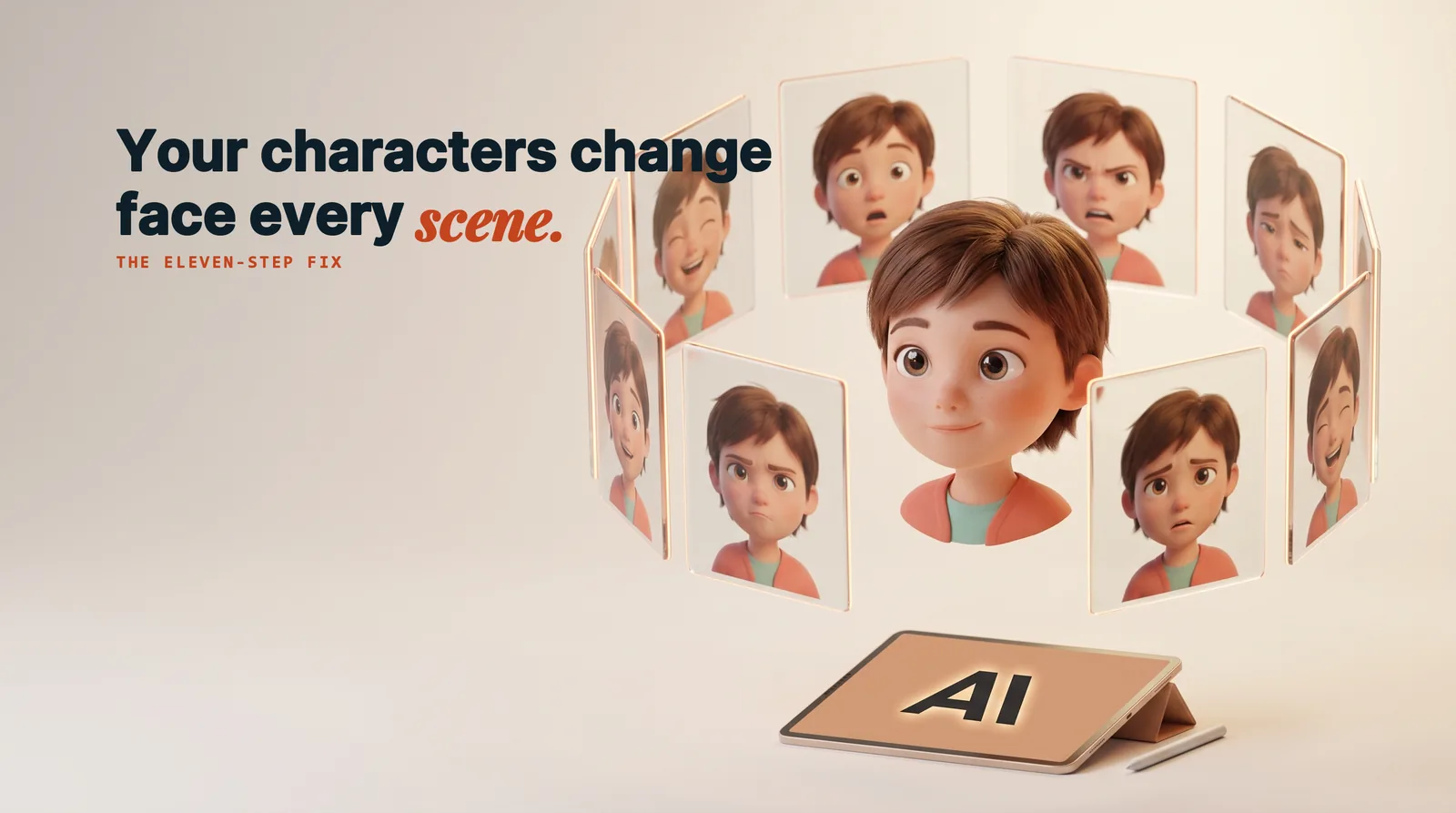
Most AI animation looks the same, and it looks that way for a reason. The typical AI animation workflow is one prompt long: open a language model, ask it for a text-to-image prompt, paste that prompt into a generator, and accept whatever comes back. The output is competent and completely generic — the same faces, the same lighting, the same weightless motion everyone else is producing. Getting to something that feels closer to studio animation is not a matter of finding a better model. It is a matter of running a longer, more deliberate process. What follows is that process, broken into eleven steps, from gathering reference images to holding a single character's voice steady across an entire scene.
Why most AI animation workflows produce the same face
The beginner path is short, which is exactly the problem. Grab any large language model, ask it to write a text-to-image prompt, copy that prompt into an image generator, and take the result. Every decision in that chain is delegated to a model working from a vague description, and vague descriptions land on the statistical middle of what the model knows. That middle is cookie-cutter by definition. Nothing in the chain ever specifies what this particular character should look like, so nothing in the output is particular.
The fix is not a longer prompt. It is replacing the guesswork with analysis.
Reverse-engineer the style instead of describing it
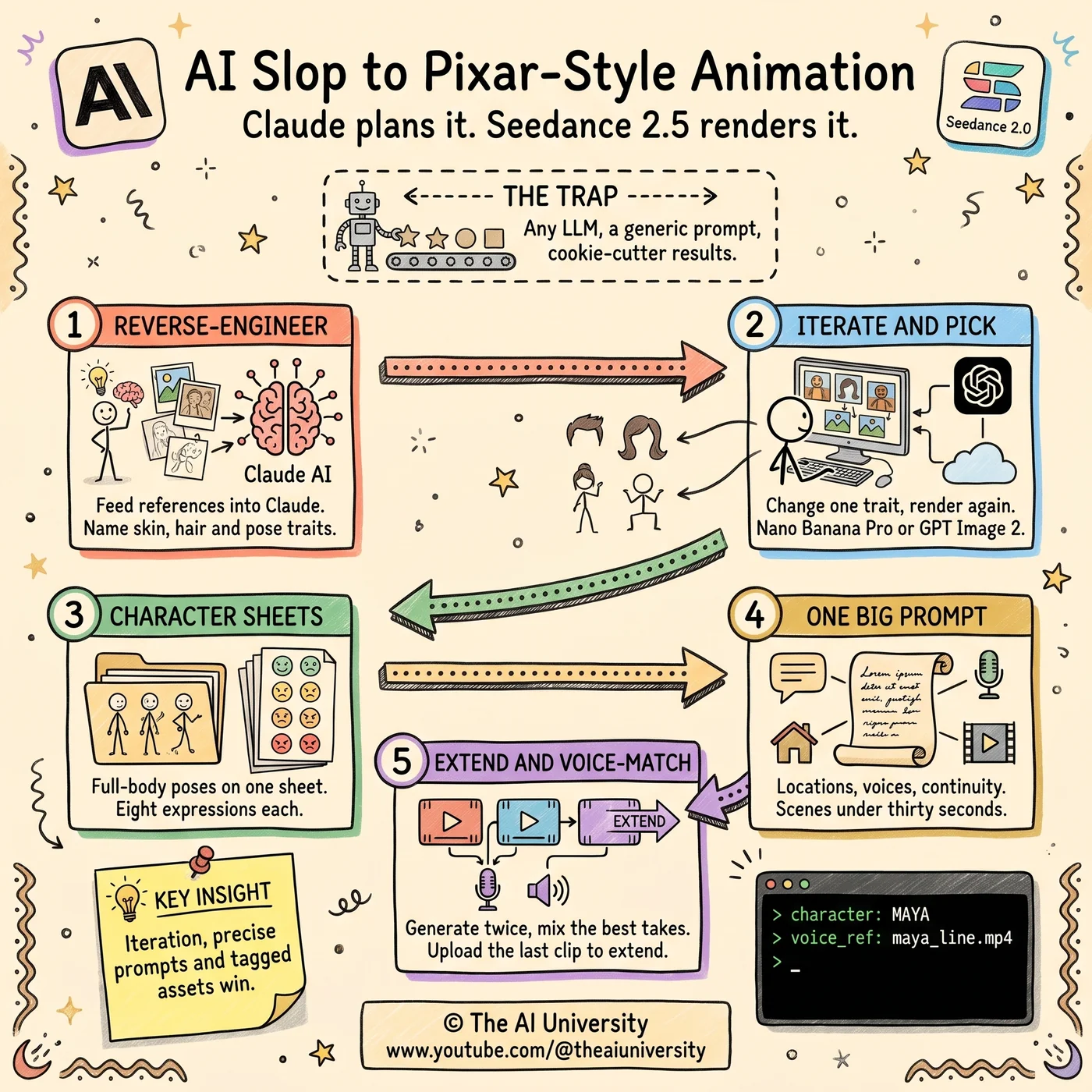
Start with Claude, but do not settle for the first prompt it writes. Instead, gather reference images of the style you actually want, and use Claude to take those references apart.
Name the features, not the vibe
"Pixar-style" is not a specification — it is a wish. The useful move is to analyse specific, nameable style features: how the skin is textured, how the hair is shaped and grouped, how the character holds a pose. These are the attributes an image model can actually act on, and they are the attributes that stay constant across a cast of characters.
Turn the analysis into a reusable structure
Once those features are named, Claude can build them into a detailed prompt structure rather than a one-off prompt. The distinction matters: a prompt produces one image, while a structure produces a consistent set. Everything downstream in this AI animation workflow depends on having that structure to reuse.
Iteration is the whole job
You will not get the character right on the first try. Nobody does, and any workflow built on the assumption that you will is going to fail at step one.
The productive loop is narrow: change one thing, regenerate, compare. Adjust the hairstyle. Look at what came back. Adjust again. Feed the tweaked reference back into Claude and let it refine the prompt to match. Repeat until the character hits the style and the feeling you were aiming at. The reason to change one variable at a time is that it tells you what actually caused the difference — a rewrite that changes five things at once teaches you nothing about which one worked.
Choosing an image model per scene, not per project
There is no single best image model, so it is worth testing several against the same prompts. Running that comparison across Nano Banana Pro and GPT Image 2 produced a clear preference: GPT Image 2, chosen for its crispness, even though it introduces some graininess.
The trade-off is a choice, not a defect
That is a real trade-off rather than a clean win, and it is the kind of judgement worth making explicitly. Crispness held more value than a perfectly clean image, so graininess was the acceptable cost. The other useful conclusion is that the choice does not have to be made once for the whole project — mix and match depending on which part of the scene you are generating. Different models are better at different things, and a workflow that locks to one model gives that advantage away.
Character sheets are what make animation possible
A still image needs one good pose. An animated character needs range, and this is where image generation and animation genuinely diverge.
Full-body poses and eight expressions
Build a character sheet carrying full-body poses along with eight distinct expressions per character. The sheet exists to give the video generation model options to draw from. Without it, the model has one reference to work from and will either repeat it or invent around it — which is precisely how a character ends up with a different face in every scene. With a sheet, the range is defined in advance and the identity holds.
Locations and backgrounds get the same treatment
Characters are not the only thing that needs specifying. Use Claude to generate detailed prompts for scenes and locations too, then match each one to whichever image model renders it best. It is the same method applied to a different subject: analyse, structure, then choose the tool per case rather than per project.
The video prompt is one document, not a sentence
When it is time to generate video, the prompt stops being a description and becomes an assembly. Combine all of it into one detailed prompt: the characters, the voices, the goal of the scene, and the continuity requirements that connect it to what came before.
Dictate it rather than typing it
Use voice notes or dictation to write this prompt. Speaking it produces a more natural flow than typing does, and a video prompt carrying this much information benefits from reading like an explanation rather than a list of tags.
Keep every scene under thirty seconds
Thirty seconds is the practical ceiling for the best results. Longer scenes give the model more room to drift, and drift is the thing this entire workflow is built to prevent.
Tag every asset by name
Name each character and each asset clearly and explicitly inside the prompt. This sounds like housekeeping and it is not. The model links references by the names you give them, so vague or inconsistent naming is a direct cause of the wrong reference being applied to the wrong character. Precise tagging is what lets a multi-character scene resolve correctly.
Generate everything twice
Always generate each video twice. You pay for both, and that is the point — the second generation is not insurance, it is inventory.
Two runs give you editing options. AI video generation produces occasional weirdness in individual frames and moments, and having a second take of the same scene means you can mix the two and cut around the problem instead of regenerating from scratch and hoping. Treating the second render as part of the cost of the shot, rather than as a retry, changes how the whole edit works.
Extend, don't restart
Scene continuity has a specific tool: Seedance 2.5's extend feature. Upload the previous video and continue the scene from it, rather than generating a new scene that merely resembles the last one. The difference shows up as smoothness — the animation carries through instead of resetting at every cut, which is one of the clearest tells separating assembled AI clips from something that reads as a continuous piece.
Voice continuity is a file problem
Character voices drift the same way character faces do, and the fix follows the same logic: give the model an exact reference rather than a description.
Extract and trim the voice lines for each character so you have one clean sample per character. Export that as an MP4 with silent video, so the file carries the audio in a format that can be used as a reference. Then feed those files into Claude alongside the character descriptions. The voice stays continuous across scenes because it is anchored to a real sample rather than re-derived each time.
The bigger shift in AI animation workflows
None of this is simple, and it is not meant to be. What separates AI animation that reads as noise from AI animation that feels alive is not access to a better model — the models in this workflow are available to anyone. It is iteration, precise prompt engineering, and disciplined asset management. Those three things are unglamorous, and they are the entire difference.
The practical consequence is worth stating plainly. With this process you can build your own cartoons, your own kids' show, or your own animated shorts, without a studio behind you. The constraint was never the rendering. It was the workflow.
Make something that feels alive, not slapped together.
Frequently asked questions
What is an AI animation workflow?
An AI animation workflow is the deliberate process that sits between a prompt and a finished animated scene. The beginner version is one prompt long — ask a language model for a text-to-image prompt, paste it into a generator, accept the result. The version that produces something watchable is eleven steps: reference gathering, style analysis, iteration, per-scene model choice, character sheets, location prompts, an assembled video prompt, asset tagging, double generation, scene extension and voice anchoring.
Do you need a studio or animation experience to do this?
No studio is required, and that is the practical point of the workflow — you can build your own cartoons, kids' show or animated shorts without one. What it does require is patience rather than credentials. The three things separating AI animation that reads as noise from AI animation that feels alive are iteration, precise prompt engineering and disciplined asset management. None of them are glamorous and none of them are optional.
Which is better for AI animation, GPT Image 2 or Nano Banana Pro?
GPT Image 2 won this comparison, chosen for its crispness even though it introduces some graininess. That is a trade-off rather than a clean win: crispness was worth more than a perfectly clean image, so the graininess was an accepted cost. The more useful conclusion is that the choice does not have to be made once for the whole project — different models are better at different things, so mix and match per scene rather than locking to one.
Why should you generate every AI video scene twice?
Generating each scene twice gives you editing inventory, not insurance. AI video generation produces occasional weirdness in individual frames and moments, and a second take of the same scene lets you mix the two and cut around the problem instead of regenerating from scratch. You pay for both renders, and treating that second render as part of the cost of the shot rather than as a retry is what changes how the edit works.
What does Seedance 2.5's extend feature do?
Seedance 2.5's extend feature continues a scene from the previous video rather than generating a new one that merely resembles it. You upload the clip you already have and carry it forward. The difference shows up as smoothness: the animation continues instead of resetting at every cut, which is one of the clearest tells separating assembled AI clips from something that reads as a continuous piece.
How do you keep an AI character's voice consistent across scenes?
Anchor the voice to a real sample instead of describing it. Extract and trim the voice lines for each character so you have one clean sample per character, export it as an MP4 with silent video so the file carries the audio in a usable reference format, then feed those files into Claude alongside the character descriptions. Voices drift the same way faces do, and the fix is the same: an exact reference beats a description.
Build it yourself
Everything written about here gets built in the open. The community on Skool is where the source, the prompts and the questions live.
Join the community →Keep reading
 Claude AI side hustles
Claude AI Side Hustles: 5 That Fit Around a Full-Time Job
Claude AI side hustles work because your job already gave you the niche. Five that fit around full-time work, and the one thing that decides all five.
Read article→ agentic AI system design
Agentic AI System Design: 9 Layers That Break in Production
Agentic AI system design is backend engineering, not prompting. The nine layers that decide whether your agent survives production.
Read article→ Model Context Protocol
Model Context Protocol: What It Is and Why It Matters
Model Context Protocol exists because your AI agent still cannot call an API. Here is the exact division of labor between the model, the client, and the server.
Read article→